

Team schedule and RSVPs
A free sports team scheduling app: games, practices, and events, with Going, Maybe, or Can't go for every player in one tap. No ads.

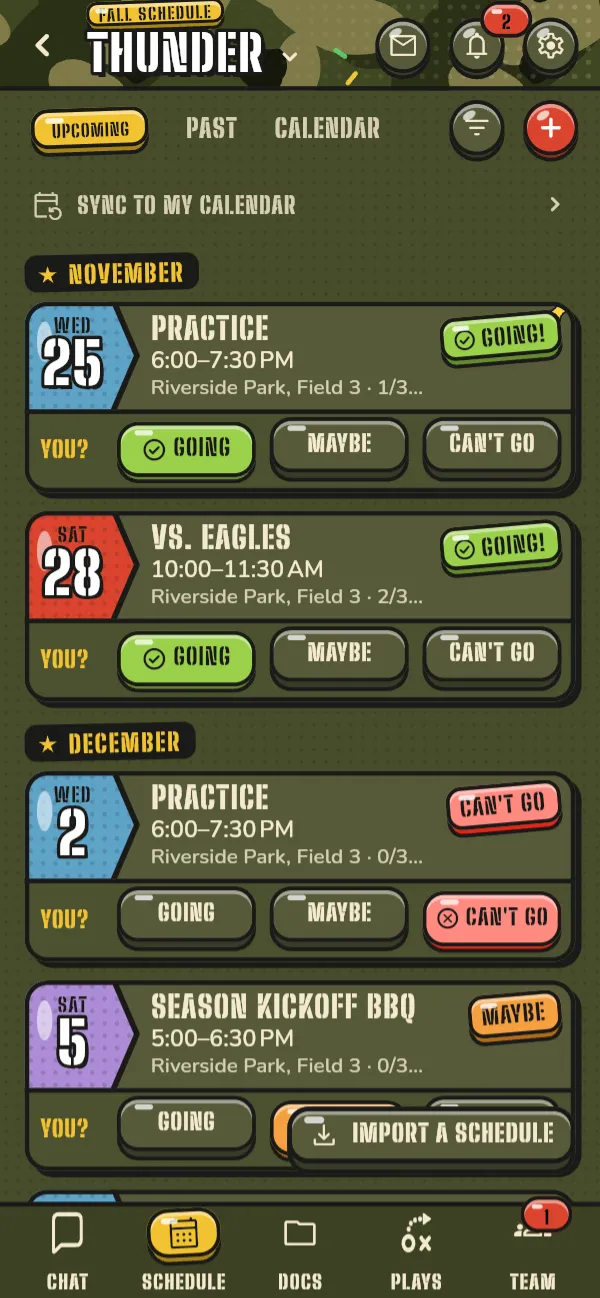
Games, practices, and events.
Add a game with the opponent, home or away, and when to arrive, or a practice that repeats every Tuesday and Thursday through the end of the season, skipping holidays. Each event has its time, the field with directions, and notes. When a game moves, everyone but those who said Can't go hears about it.
- Repeats weekly
- Skip dates
- Duplicate last week's game
- Cancel or delete
- Time zones
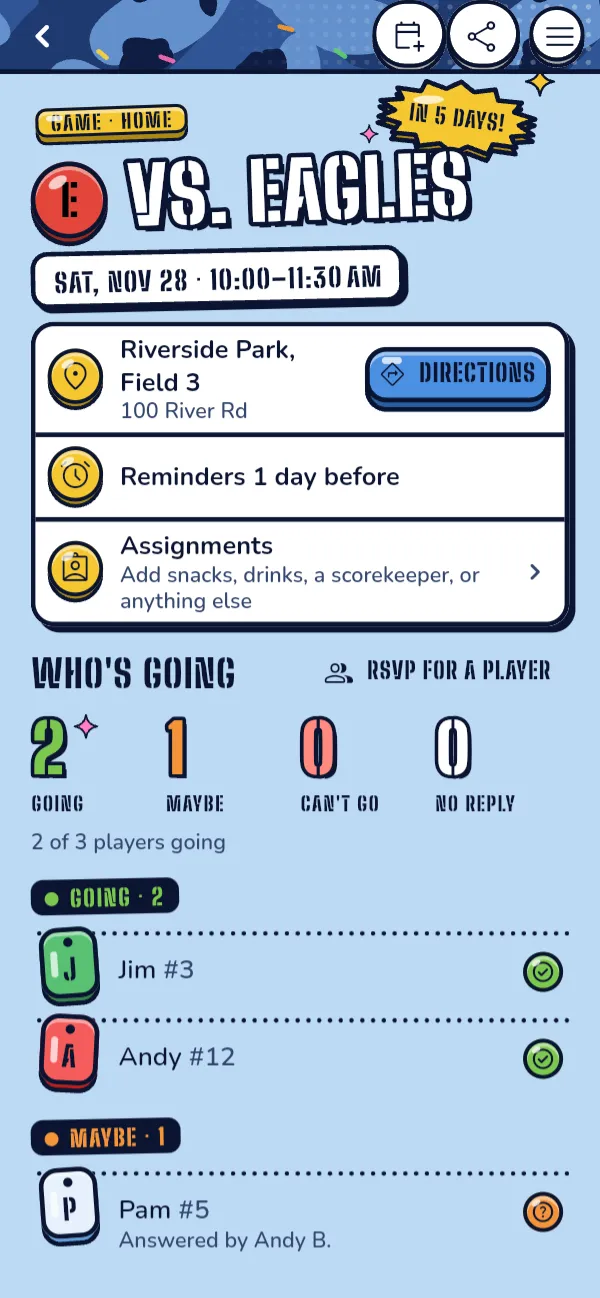
RSVPs for every player.
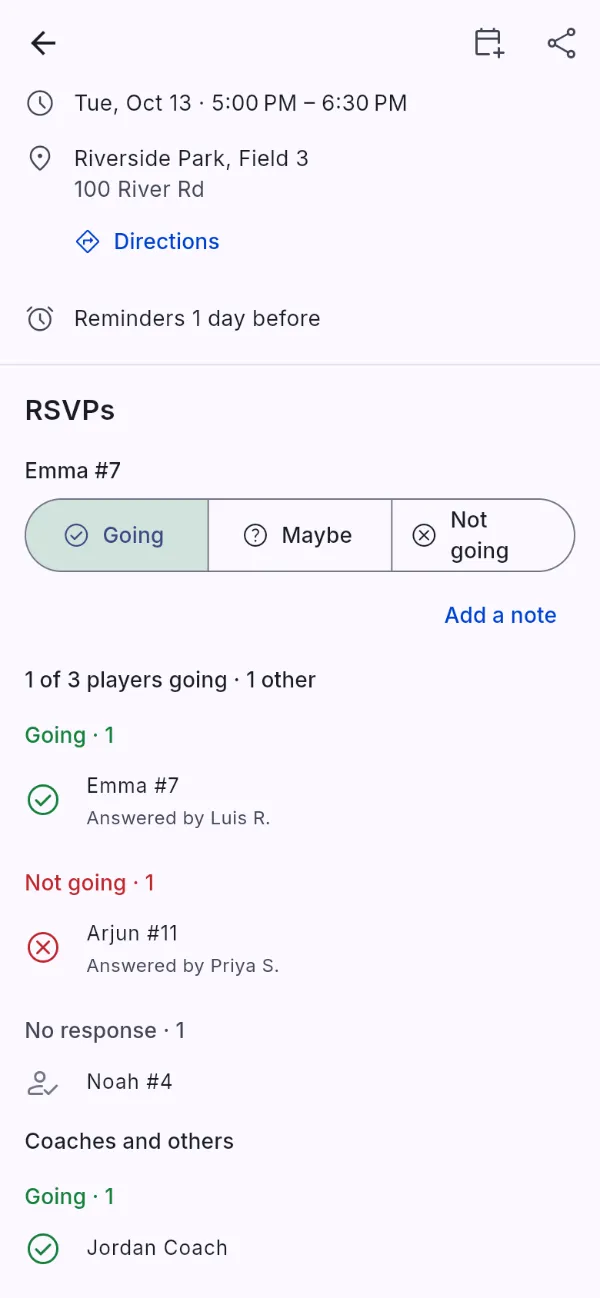
Going, Maybe, or Can't go in one tap, right on the schedule. On a team, RSVPs are for players: guardians answer for each of their players on that player's own row, and adult players answer for themselves. Counts are players only, so "10 of 12 players going" means what it says.
- A row for each player
- Add a note
- RSVP deadlines
- Answer from an email
Reminders, assignments, and nudges.
-
Reminders
Pick reminders for each event, from 15 minutes to a week before, or No reminders, and set the team's defaults in Admin settings. They go to everyone who said Going or Maybe or hasn't answered, never to Can't go.
-
Snacks, drinks, scorekeeper
Add assignments to an event, like Snacks, Drinks, Scorekeeper, or anything you name. People volunteer for an open one, and admins can assign anyone.
-
Answer from an email
A team admin can email everyone who hasn't RSVP'd. They tap Going, Maybe, or Can't go in the email and send it, with no sign-in.
-
A reminder in the chat
Admins can post an event in the chat any time, with its live RSVPs and the answer buttons, for the ones who still haven't answered.
Sync to your calendar.
One private calendar link keeps Google Calendar, Apple Calendar, or Outlook up to date with your team's schedule, including new times, new places, and cancellations. Make one for a team, or one for every team you're on, in Team settings → Calendar link. Prefer one event at a time? Add to calendar is on every event.
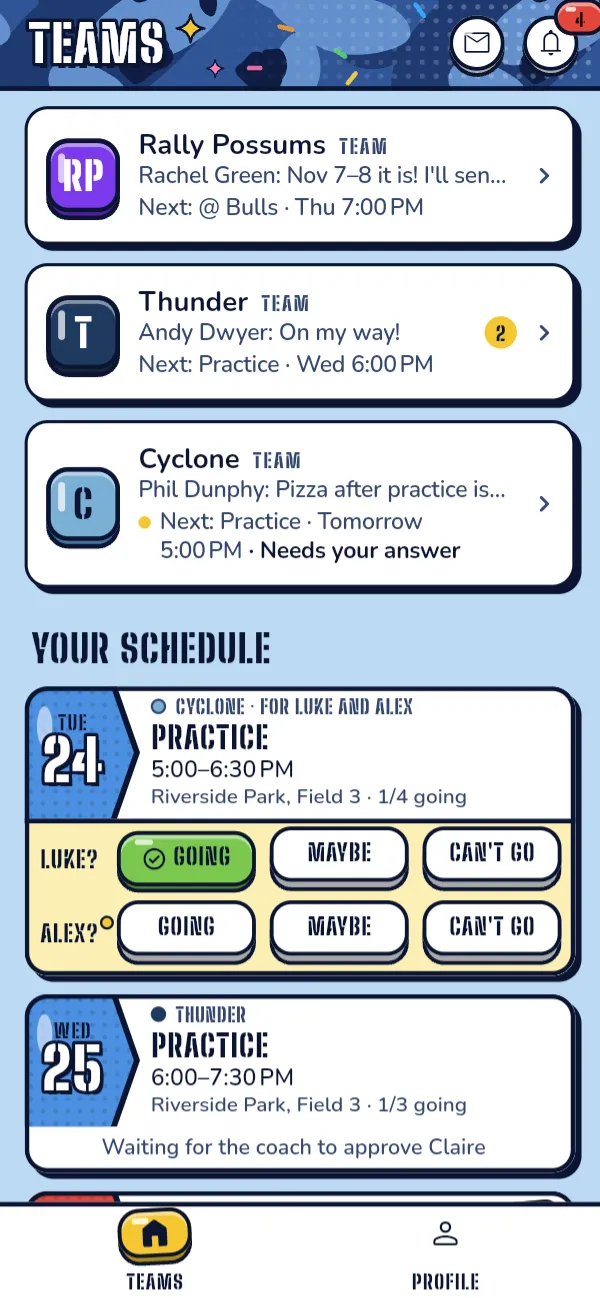
What's next, on every team.
On more than one team, or answering for players on several? Your schedule, on the Teams screen under your teams, lists what's coming up across every team and group you're on, each card naming its team and your players. Answer right there, or tap See all for the past and a calendar. Each team's own schedule shows only that team.
Bring your schedule over.
Import a schedule from TeamSnap, TeamReach, GameChanger, or Google Calendar with its calendar link. You see a preview first, nothing imported sends notifications, and importing again adds only what's new.
Questions
Is the team schedule free?
Yes. Schedules, RSVPs, reminders, and every other feature are free for every team, with no ads and no paid tier.
Does it sync with Google Calendar?
Yes. In Team settings, open Calendar link and make your link, then add it to Google Calendar, Apple Calendar, or Outlook. Apple Calendar and Outlook check it about every hour; Google Calendar can take up to a day.
Can a guardian answer for two players?
Yes. Each player has their own Going, Maybe, and Can't go row, so a guardian answers for each of their players on their own.
Can I import our schedule from TeamSnap or GameChanger?
Yes. Copy the calendar link from TeamSnap or GameChanger, then a team admin pastes it in Team settings → Import. Switch to Battleplan has the steps.
Can people answer without opening the app?
Yes. A team admin, or whoever made the event, can email everyone who hasn't RSVP'd, from the event's menu. They tap Going, Maybe, or Can't go in the email and send it from a small page, with no sign-in.