A GroupMe alternative built for teams
Bring your GroupMe chat history with you, and get the schedule, RSVPs, polls, dues, and plays a team needs, in the same app. Free, with no ads.

Keep your chat history.
A team admin imports your GroupMe export: messages, photos, files, and events, with everyone's GroupMe names and the original dates. Only the group you pick comes over, nothing imported sends notifications, and importing again adds only what's new. Likes, polls' votes, and videos aren't imported.
Add what group chats are missing.
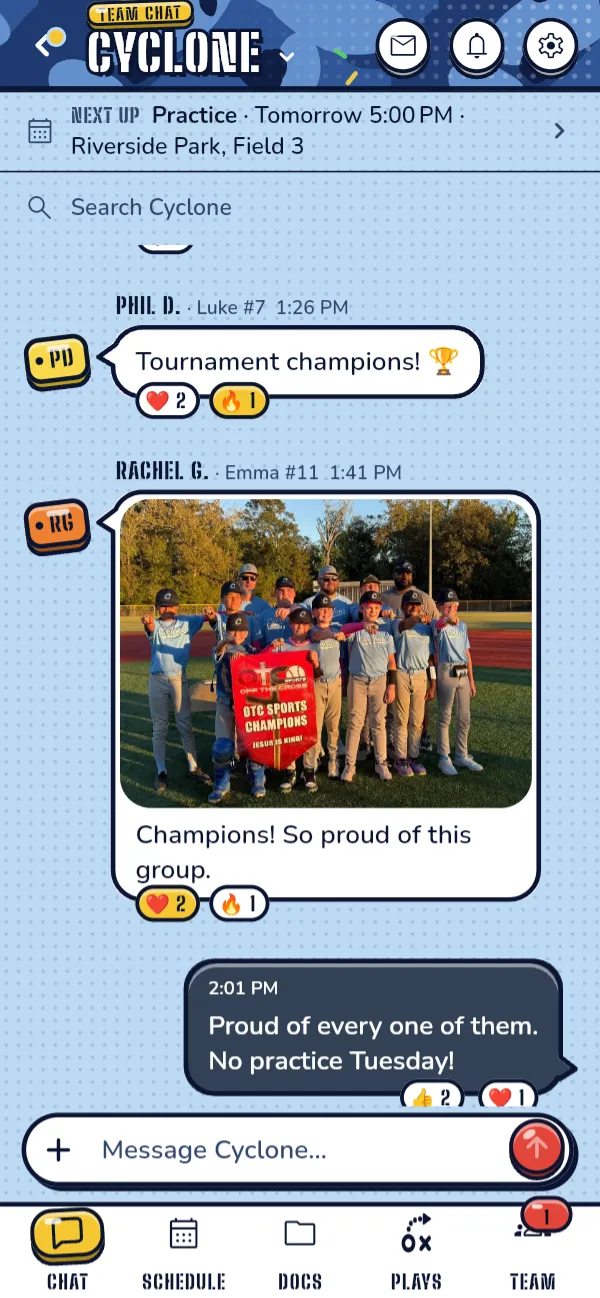
The chat works the way you expect, with photos, replies, reactions, @mentions, and pinned announcements. Then there's the rest of what a team needs:
-
Schedule and RSVPs
Games and practices with Going, Maybe, or Can't go for every player, and reminders. See the schedule.
-
Calendar sync
One private link keeps Google Calendar, Apple Calendar, or Outlook up to date.
-
Dues
Who's paid for uniforms and fees, and who owes what. See dues.
-
Plays
The coach's whiteboard, with plays you can post to the chat. See the whiteboard.
-
Documents
The lineup, the rules, and the waivers, with every photo from the chat beside them.
-
Players and guardians
Guardians answer for each of their players, and counts are players only.
Not a team? Make a group.
Clubs, leagues' volunteers, and friends who play on Sundays get the same chat, events, polls, documents, and dues in a group, and everyone answers for themselves.
Move in three steps.
It takes a few minutes, most of it waiting for GroupMe's export.
- On a computer, sign in at web.groupme.com, click your profile picture, choose Export my data, then Create export.
- When it's ready, download the .zip file from Export my data.
- In Battleplan, open Team settings (the gear at the top) → Import, choose GroupMe and the file, pick your group, check the preview, and tap Import.
Questions
Does our chat history come with us?
Yes. Messages, photos, files, and events come over with everyone's GroupMe names and the original dates. Likes, polls' votes, and videos don't.
Is Battleplan free?
Yes. Every team and group gets every feature, with no ads and no paid tier.
Does everyone need the app?
Everyone who chats needs a free account, in the iPhone or iPad app or in any modern browser. Battleplan doesn't send the chat by text message. An Android app is on the way.
Will the import set off everyone's notifications?
No. Nothing imported sends notifications.
Can a group that isn't a team switch too?
Yes. Create a group instead of a team, then import the same way, in Group settings → Import.
Take a closer look.
GroupMe, TeamSnap, TeamReach, and GameChanger are trademarks of their owners; Battleplan isn't affiliated with them.