

Group chat and events for any group
Not a team? Battleplan has groups too: free group chat with events, RSVPs, polls, documents, and dues, for a run club, a league's volunteers, or friends who play on Sundays. No ads.

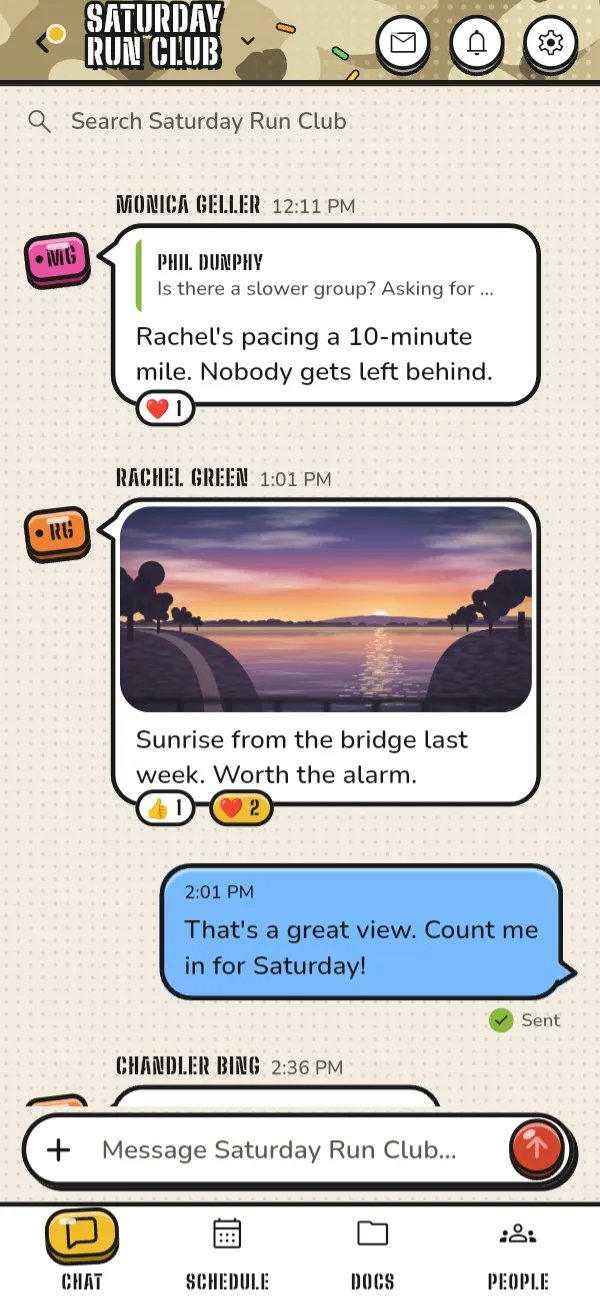
Group chat that stays organized.
Messages, photos, replies, reactions, @mentions, pinned messages, announcements, and search, in one chat for the whole group.
-
Announcements
Admins send the message everyone has to see, and pin up to three to the top of the chat.
-
Direct messages
Message anyone you share a group with, one to one.
-
Invite in seconds
Share the group's invite link or QR code, add people by email, or give out the invite code.
Events and RSVPs.
Plan runs, meetups, and socials with a time, a place with directions, and reminders, or a weekly one that repeats all season. Everyone answers Going, Maybe, or Can't go for themselves, and the count is of the group's members: "6 of 9 going". A private calendar link keeps everyone's Google Calendar, Apple Calendar, or Outlook in step, and assignments cover who brings what.
Polls, documents, and dues.
Settle the date or the route with a poll, one choice or several, named or anonymous. Keep the route map, the waiver, and the sign-up link in Documents, with every photo from the chat beside them. Track who's paid for shirts or entry fees with dues, in full or a part at a time; each member sees only their own.
- Polls
- Documents
- Photos
- Dues
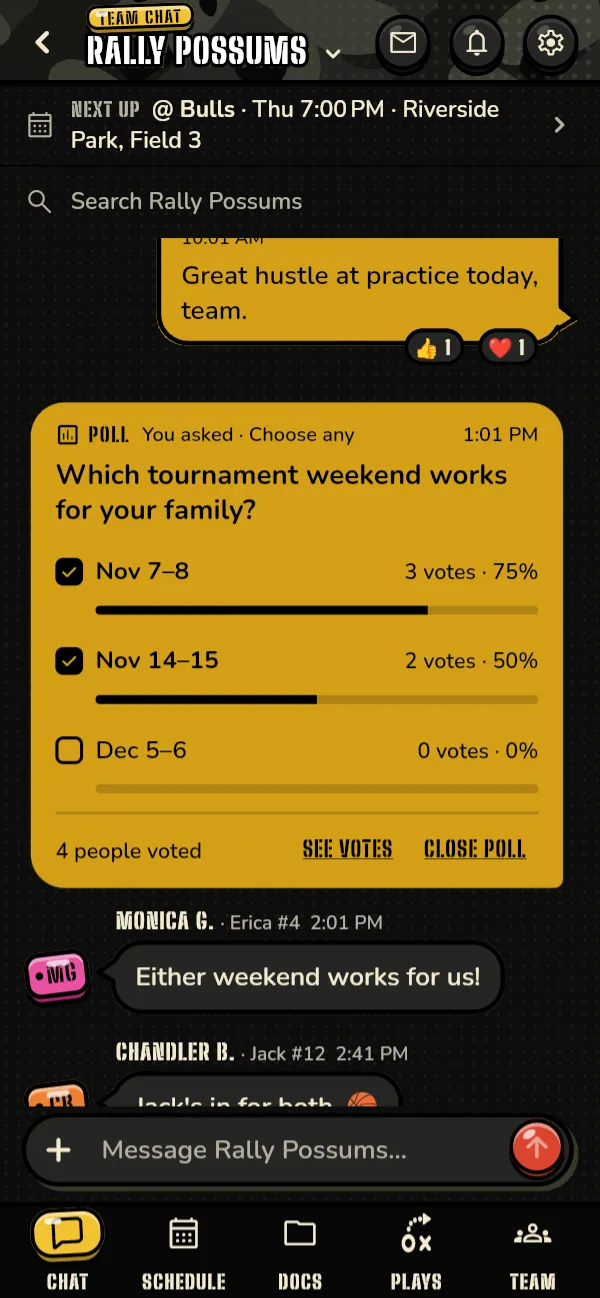
Simple on purpose.
A group has no roster of players, guardians, or coaches, and no Plays. Everyone in it is a member who chats and answers for themselves. Its admins set its color scheme, and each person can pick their own.
Make it a team later.
If your group turns into a team, its owner taps Make it a team in Admin settings and picks the sport. It keeps its people, chat, schedule, and documents, and gets players, guardians, coaches, and the coach's whiteboard.
Questions
What's the difference between a group and a team?
A team has players, guardians who answer for them, coaches, and Plays. A group is simpler: everyone chats and answers RSVPs for themselves. Both get chat, events, polls, documents, and dues.
Is it free?
Yes. Every group gets every feature, with no ads and no paid tier.
How do people join our group?
Share the group's invite link or QR code, or add people by email. People can also type in the group's invite code.
Can we move our group from GroupMe?
Yes. A group admin imports a GroupMe export in Group settings → Import: messages, photos, files, and events, with everyone's names and the original dates. Switch to Battleplan has the steps.
Can a group become a team?
Yes. The group's owner taps Make it a team in Admin settings and picks the sport. Its people, chat, schedule, and documents stay.