Team chat for sports teams and groups
Battleplan is a free team chat app for sports teams and groups: every message, photo, and announcement in one place, next to your schedule. No ads.

Everything a group chat should do.
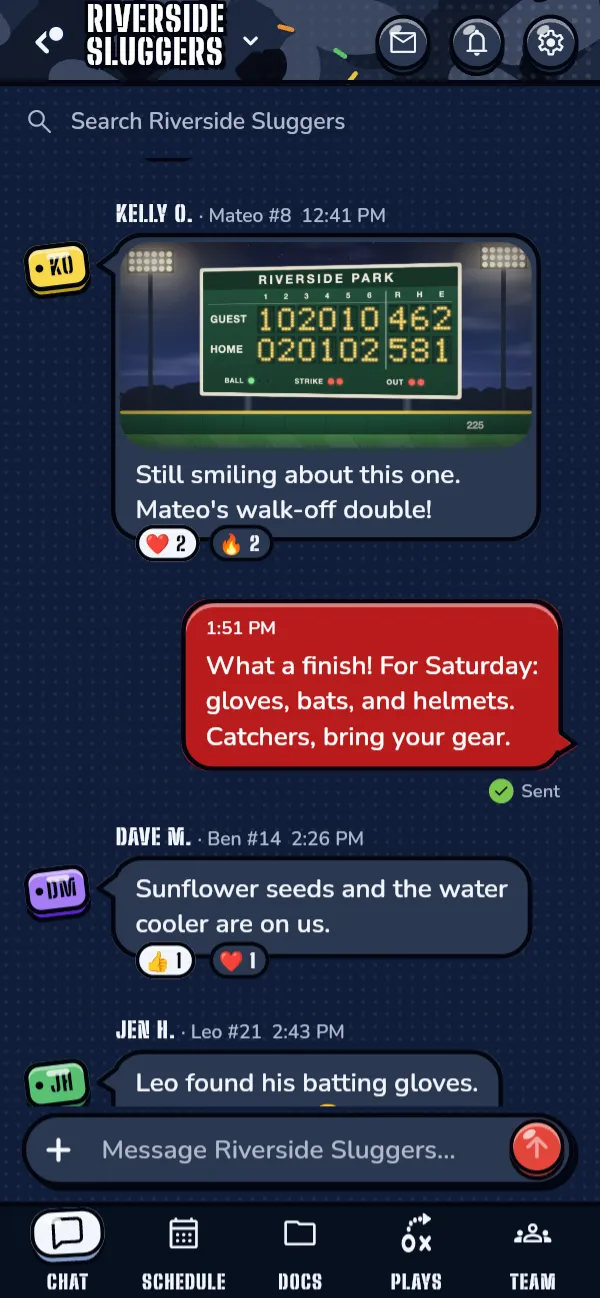
Send a message or up to 10 photos at a time. Reply to a message, react with a 👍, ❤️, 😂, or ⚾, and @mention someone so it reaches them. Edit your own messages, and search the whole chat by the words in it.
- Photos
- Replies
- Reactions
- @mentions
- Chat search
- Edit and delete
Say it to everyone, or to one person.
The message everyone has to see stays where everyone sees it.
-
Pinned messages
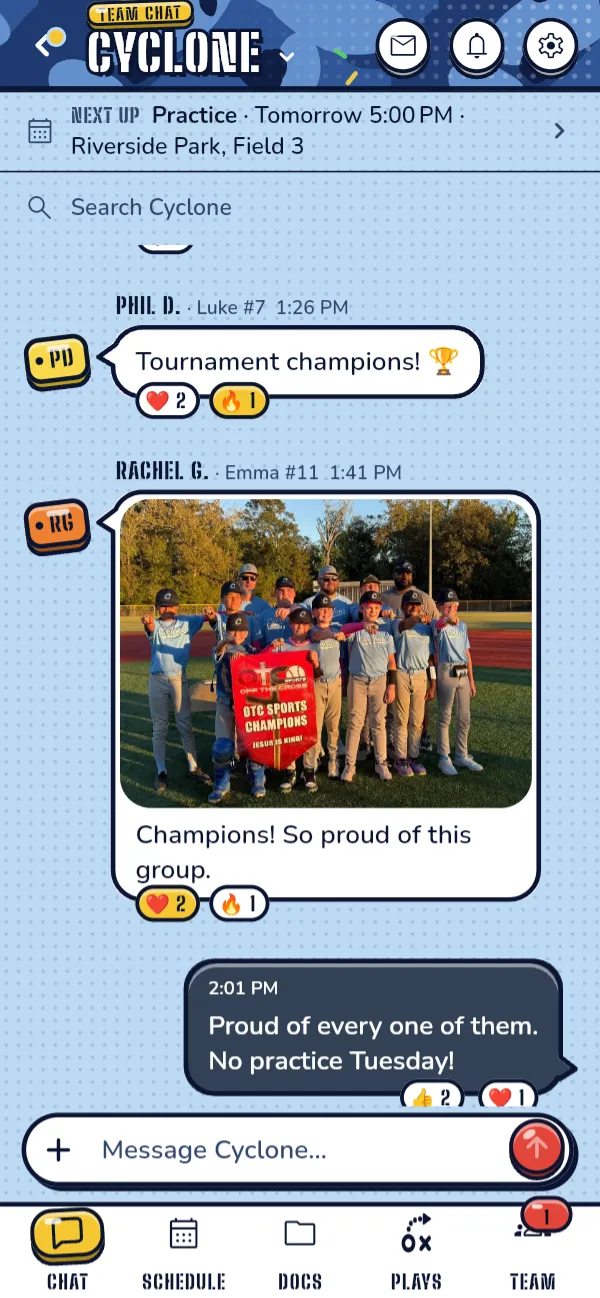
Team admins pin up to three messages to a bar at the top of the chat: the field change, the tournament hotel, the uniform rule.
-
Announcements
An announcement stands out in the chat and notifies the whole team, even people set to Important only.
-
@everyone
Admins can @mention everyone on the team for a quick heads-up that reaches them like a mention.
-
Direct messages
Message anyone you share a team with, one to one. Only the two of you see the conversation.
Settle it without forty replies.
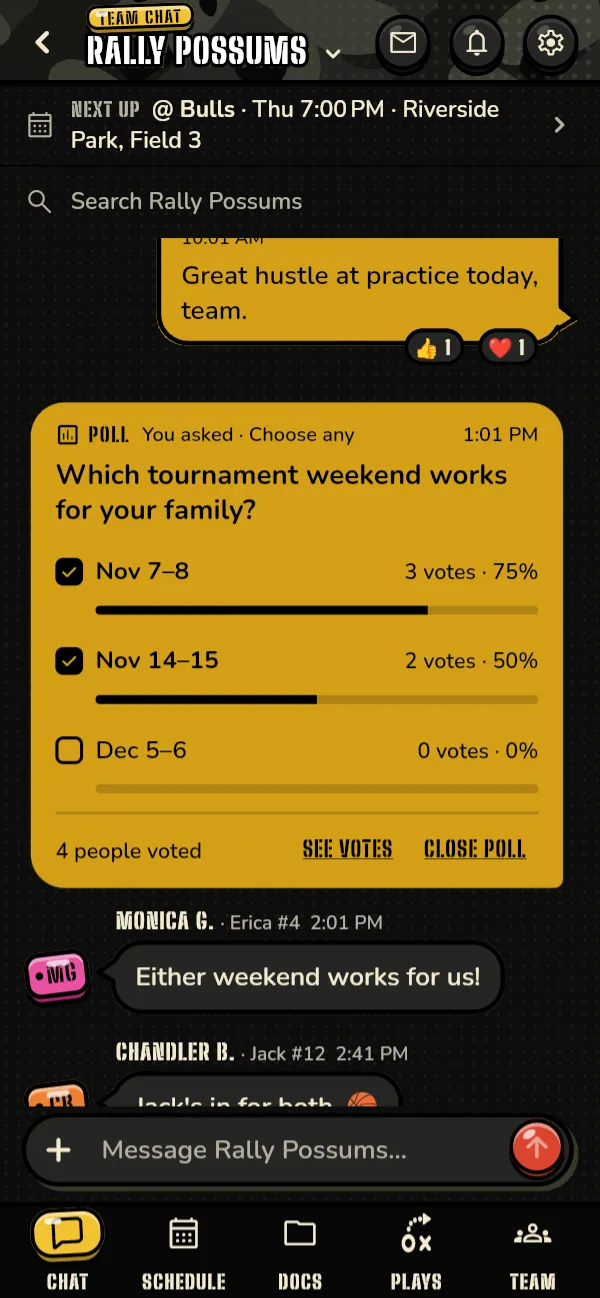
Ask the team right in the chat: which weekend works, what color the new jerseys should be, who's bringing the cooler. A poll takes one choice or several, named or anonymous, and can close on its own at a time you pick. Polls can be set to count only one vote per player. Multiple parents will only count as one vote, when enabled.
- One choice or several
- Anonymous voting
- One vote per player
- Closes on its own
Chat, schedule, and plays together.
No more jumping between a chat app, a calendar, and a spreadsheet.
-
Games in the chat
Post a game or practice to the chat as a card when you add it, and people answer Going, Maybe, or Can't go right on the card. See schedules and RSVPs.
-
Plays in the chat
Anyone on the team can post a saved play to the chat, where a tap opens it step by step. See the baseball and softball whiteboard.
-
Photos in one place
Every photo shared in the chat is also in Documents, newest first, so the team photo is easy to find.
-
Notifications your way
Choose how much each team notifies you, or mute it. At Important only, replies to you, mentions, and announcements still come through.
Built for a team, not an office.
-
Invite by link or QR code
Share the team's invite link or QR code, add people by email, or give out the team's invite code.
-
Report and block
Report a message or a person to the team's admins and to Battleplan; the person is never told who reported them. Block someone, and their messages collapse and stop notifying you.
-
Accounts for adults
Accounts are for adults 18 and older. Players who don't use the app are on the roster, and their guardians answer for them.
-
Groups too
Not a team? A group gets the same chat, and everyone in it answers for themselves.
Bring your GroupMe chat.
A team admin can import a GroupMe group's messages, photos, files, and events, with everyone's GroupMe names and the original dates. Nothing imported sends notifications, so nobody's phone blows up.
How to import from GroupMe · A GroupMe alternative built for teams
On every phone and computer.
The iPhone and iPad app is on the App Store, and Battleplan works in any modern browser on a phone or a computer, so nobody is left out of the chat. You sign in with Google or Apple. An Android app is on the way.
Questions
Is Battleplan's team chat free?
Yes. Every team and group gets the chat and every other feature, with no ads and no paid tier. Each team has room for 200 MB of photos and files.
Can a group that isn't a team use it?
Yes. Create a group instead of a team, for a club, a league's volunteers, or friends who play on Sundays. Groups get the same chat, schedule, polls, documents, and dues, and everyone answers for themselves. Groups has more.
Can we bring our GroupMe chat?
Yes. A team admin exports the group from GroupMe, then imports it in Team settings → Import. Messages keep everyone's names and the original dates. Switch to Battleplan has the steps.
Does everyone need an account?
Everyone who chats needs one, and accounts are for adults 18 and older. Players who don't use the app are on the roster, and their guardians answer for them.
Can I message one person instead of the whole team?
Yes. Direct messages are one to one with anyone you share a team with, and only the two of you see them.